
Is Your WordPress Website Healthy? A Simple Maintenance Checklist
This page may contain links to Amazon.com or other sites from which I may receive commission on purchases you make after clicking on such links. Read my full Disclosure Policy
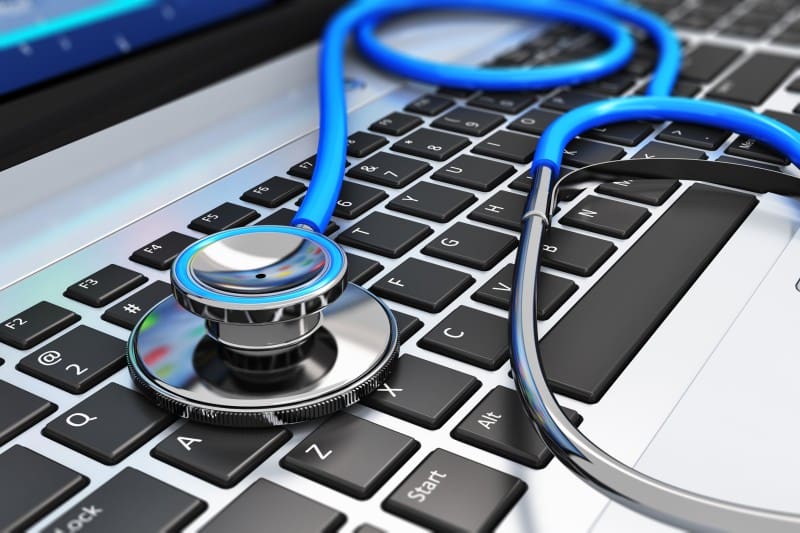
Whether you’re setting up your first WordPress website or you’ve had one for years, there are a few things worth checking regularly. Here’s a checklist of the things I recommend keeping an eye on.
Backups
Backing up your site regularly is most important, because if anything goes wrong, the backup can usually be restored to bring everything back to the way it was. If you don’t already have a backup system in place, you need to get on that as soon as possible.
Set up a backup system using a WordPress plugin or third-party service. Backup services may also be available with your hosting plan, either as a standard feature or paid add-on. (It’s included with my Hosting Plans – schedule a meeting to see if we’re a good fit!)
Make sure your system allows you to schedule automated backups. I recommend daily backups for most sites, more for active ecommerce sites or blogs. An old backup won’t do you much good if it doesn’t include your latest changes, blog posts, or sales from your ecommerce store.
It’s also advised to run a manual backup before you make any changes to your site.
It’s essential that you know how to restore a backup, in case you don’t like the changes you’ve made or if anything goes wrong. You just never know when a plugin update will create a conflict with your theme or another plugin, causing certain functions or features to stop working, or bringing your site down entirely.
WordPress Updates
I recommend logging into your WordPress dashboard every week to deal with any notifications or other messages. This will usually include plugin updates, and may include theme updates, WordPress core updates, or notices of other actions to be taken. If you’re not sure what something means, ask someone before you start clicking on random links.
Before updating a plugin, theme, or WordPress itself, make sure you have a current backup. For important sites, you may also want to check whether the update has any known compatibility issues before installing it. At the same time, review the front end of your site to make sure everything still displays correctly. This is especially important after running updates.
If anything is going to take more time than you’ve scheduled in your weekly routine, add it to your task list or hire a pro to look after it for you.
Unused Plugins/Themes
Inactive plugins and themes can be a security risk. Clean them up!
Security
A good security plugin is your first line of defense. Regular scans can help identify and fix security issues before the unthinkable happens.
Users
Limit admin access to those who truly need it, and remove any users who no longer require access to your dashboard.
Forms
Test regularly to make sure people can submit the form and that you receive any email notifications.
Remove unused forms to streamline your dashboard.
Mobile Responsiveness
With more and more people using phones and tablets to access the Internet, having a mobile-friendly site is essential.
Don’t assume your website still looks good on phones just because it did when you first launched it. Check your key pages periodically on a phone, paying particular attention to navigation, forms, buttons, images and text size.
Links and Navigation
Ensure a smooth user experience by making sure all links go where they’re supposed to, whether it’s a page on your site or an external site.
Broken links are frustrating for website visitors and can even harm your SEO ranking, so it’s a good idea to check them once a month.
Performance
Slow loading times can frustrate visitors and harm your SEO. This problem is often caused by web hosting limitations and/or uploading large photos. If your site seems slower than it used to be, investigate rather than simply adding another performance plugin.
Site Health
Sometimes the Site Health screen in your dashboard reveals issues not listed above. These often have to do with your hosting service and may or may not be critical.
Conclusion
There’s a lot to keep an eye on, but you don’t have to deal with everything at once. A regular review of your website can help you catch small problems before they turn into bigger ones.
If you’re not sure how to check something or how to resolve an issue you find, don’t simply ignore it. Ask someone who knows WordPress, or hire a professional to take care of it for you.
Although Benjamin Franklin didn’t know anything about WordPress, he had a point when he said, “An ounce of prevention is worth a pound of cure.”
Photo by scanrail / Depositphotos


2 Comments
Leave a Comment
The Productivity & Organizing Peer Support (POPS) Circle is a virtual community where organizing, productivity, and related professionals build genuine relationships, exchange ideas, and support one another’s growth.
Your first two meetings are free!
Thank you so much for creating lovely communities and introducing me to new people from all over the world.
Pam Holland, Mindful Decluttering and Organizing, LLC
Janet, the form test is worth making a complete round trip: submit as a visitor, confirm the message reaches the right inbox, and reply to check the Reply-To address. A success message alone can hide a delivery problem. I’d also test once from a phone with required fields left blank, so an owner can see whether the error messages actually help someone finish the inquiry.
Great tips, thank you JL!